ATRIUMA ·
A new Backoffice calendar: conflict-free scheduling, Google Calendar and new map layers
Schedule viewings and meetings without double-booking colleagues, properties or clients, sync Google Calendar and explore the map by theme.
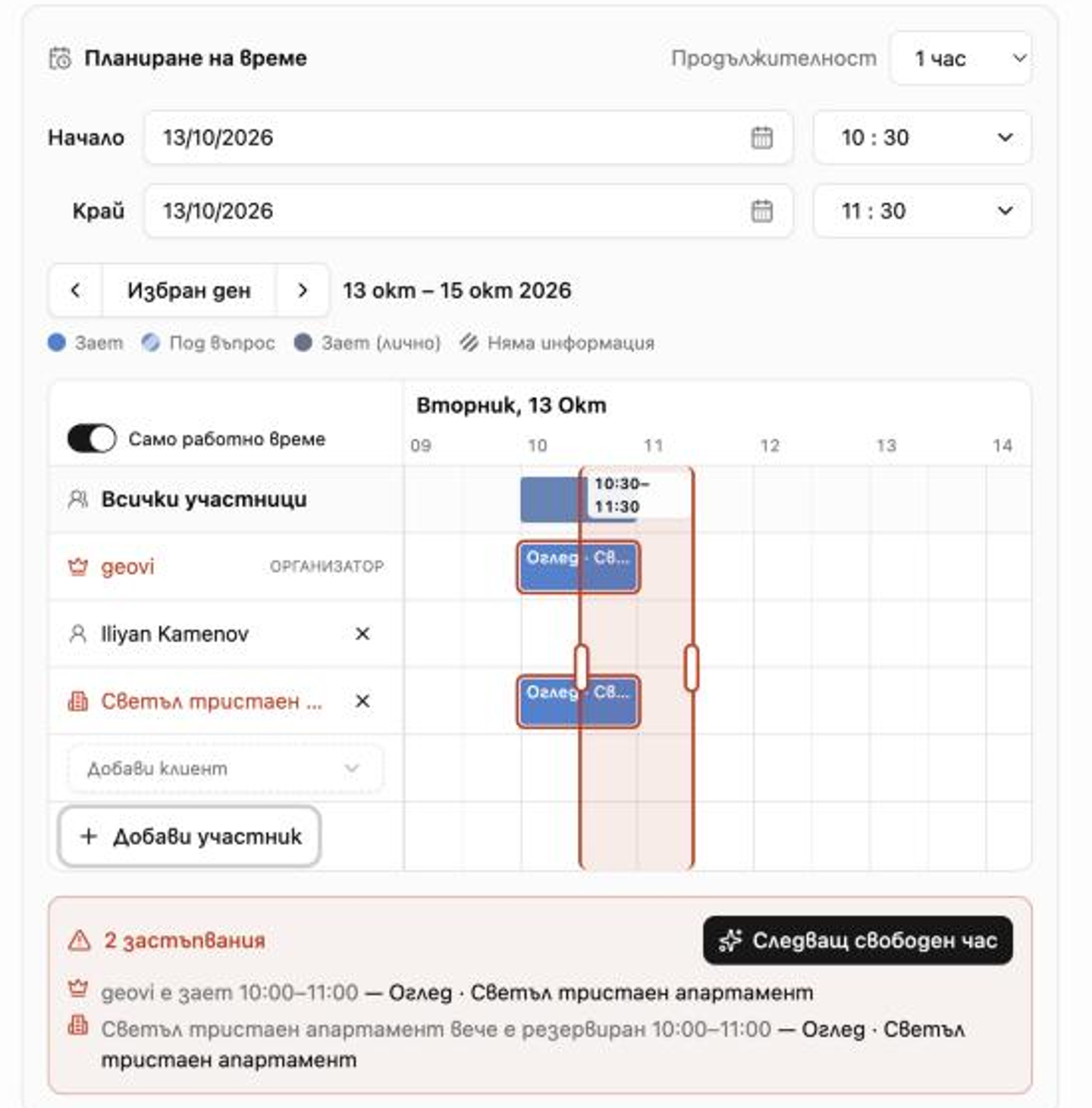
Schedule viewings and meetings without double-booking colleagues, properties or clients. The new Backoffice calendar shows everyone's availability, syncs with Google Calendar, and the map gets new themed layers.
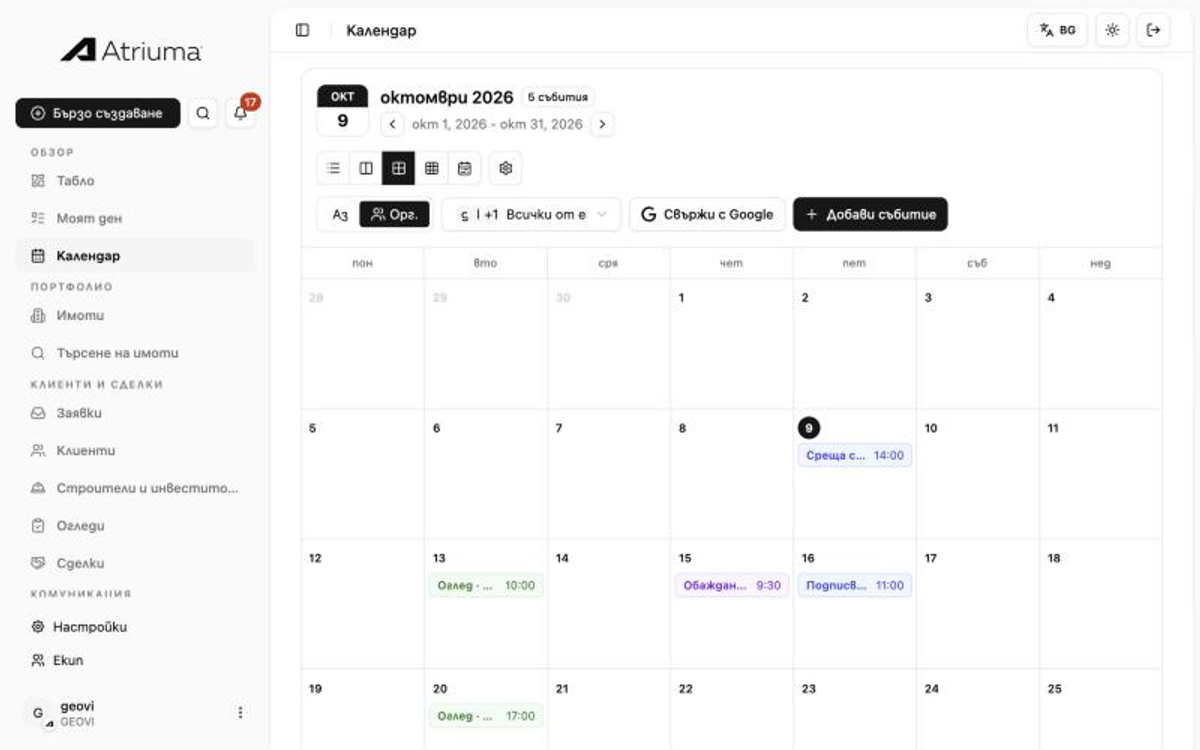
The whole month at a glance
The month view shows your organization's appointments or only yours. Viewings, meetings and calls each have their own colour, and one click opens the day, the event or the new-event form.
Connect your Google Calendar
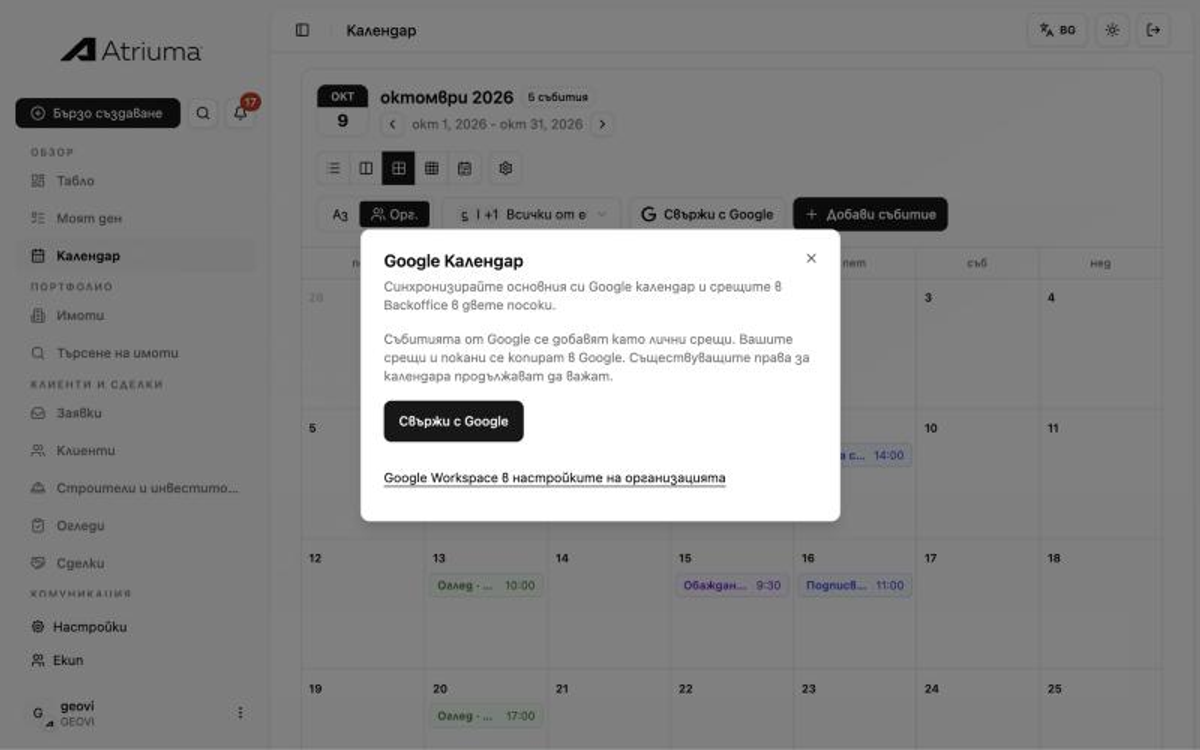
Select Connect with Google in Calendar to sync your primary Google calendar both ways. Google events arrive as private appointments, and your Backoffice appointments and invitations are copied to Google. Your organization's calendar permissions stay the same.
If your organization uses Google Workspace, an administrator can set it up for everyone in the organization settings.
Outlook-style scheduling
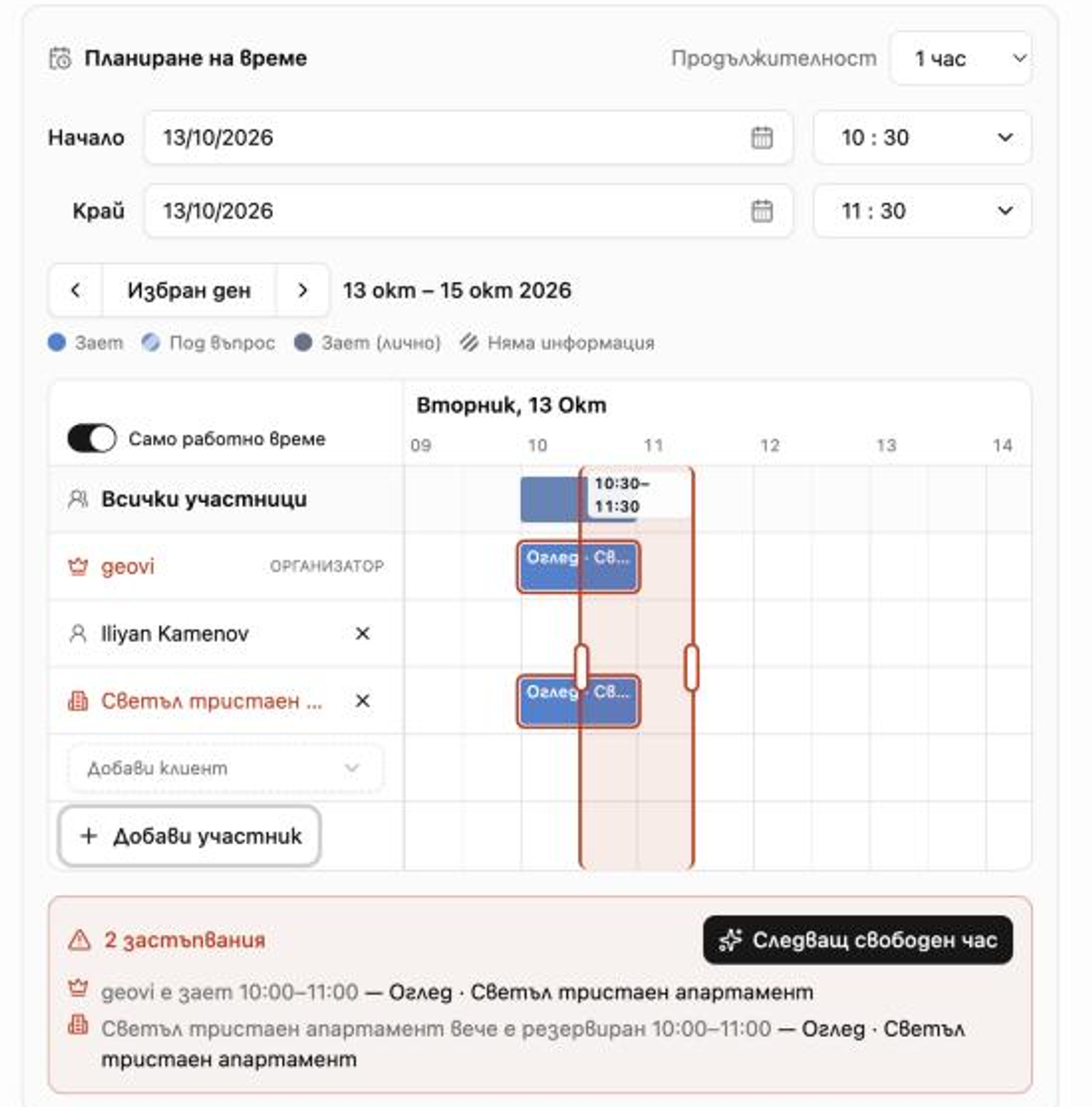
When you add an event, the Scheduling assistant shows a row for each attendee, for the property and for the client. Drag the highlighted time to move it, or drag its handles to change the length. On a phone, just tap a free slot.
Conflicts show immediately — for example, that the chosen property already has a viewing at the same time. Next available time finds the first slot when everyone is free. The title is optional: without one the event is saved as Reserved time.
New themed map layers
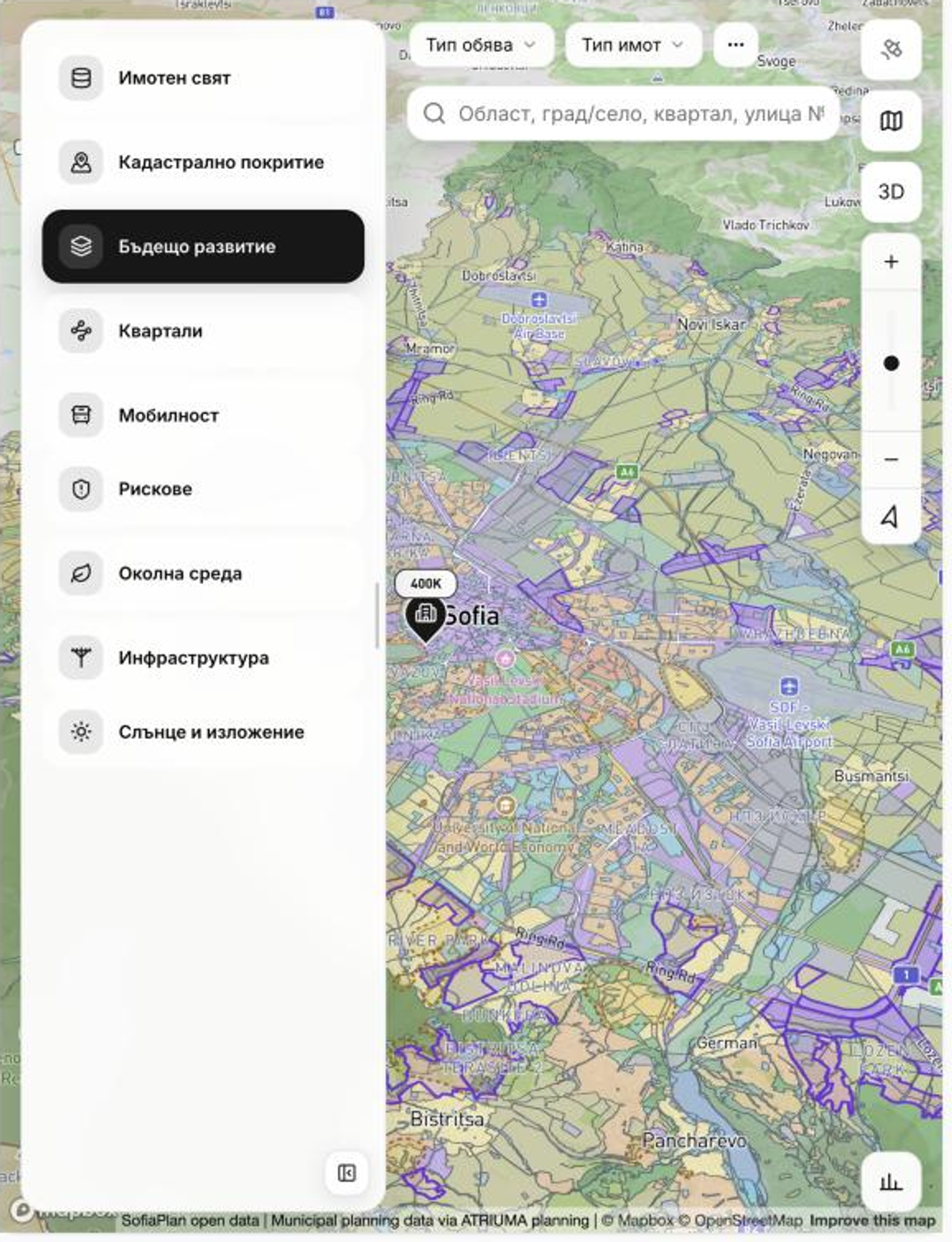
The Backoffice map now groups its data by theme: Property world, Cadastral coverage, Future development, Neighbourhoods, Mobility, Risks, Environment, Infrastructure, and Sun and exposure. Pick a theme to see just the layers you need for a property or a client conversation.
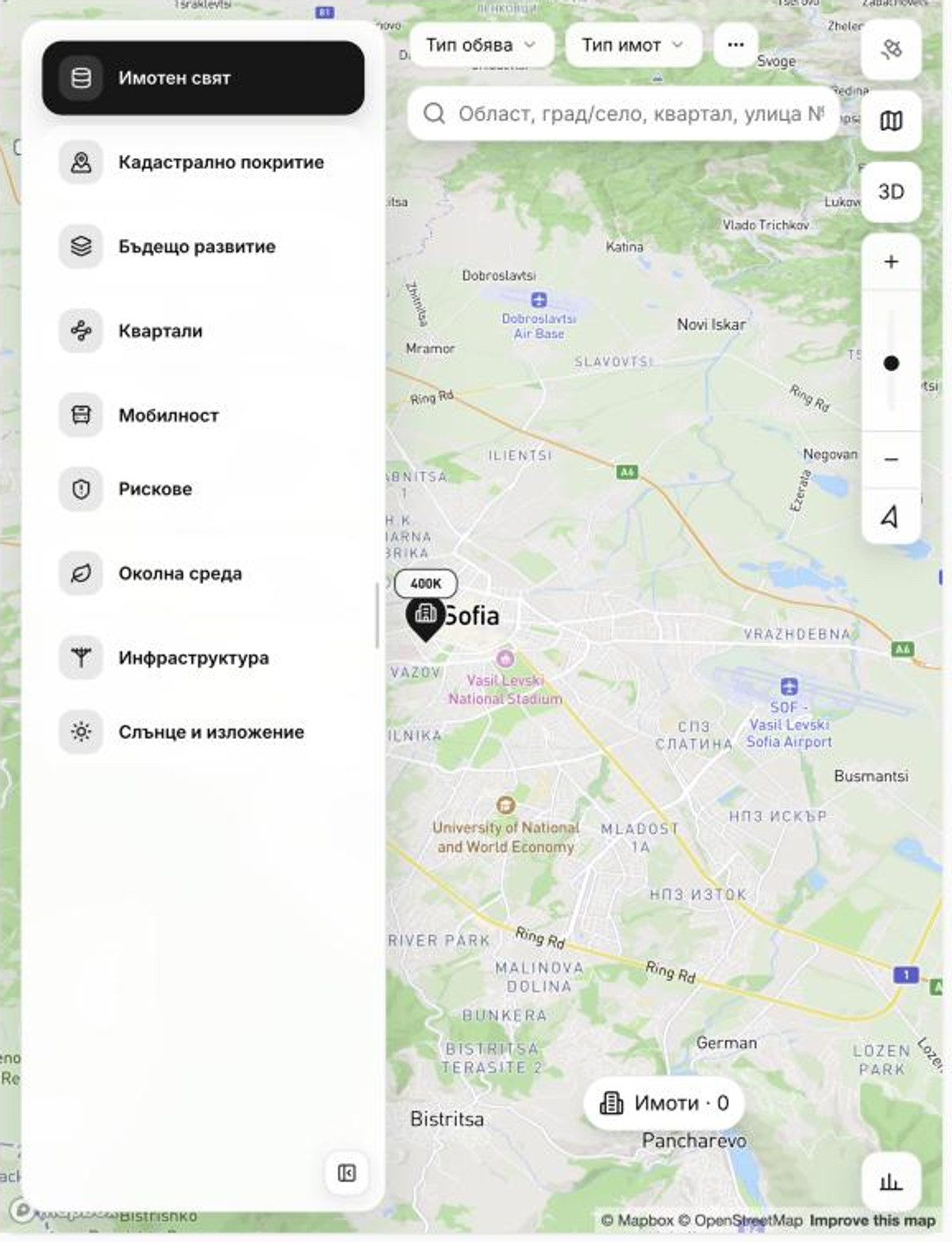
Future development shows the zoning of the municipal plans, so before a viewing you can already see what may be built around the property.
Backoffice with your favourite AI assistant (MCP)
Backoffice now supports MCP (Model Context Protocol), so you can use it with your favourite AI assistant: ask about your appointments, clients and properties right from the conversation.
The ChatGPT plugin will be available from 13 October 2026.
Watch how it works on YouTube — ATRIUMA x ChatGPT.
Where to find it
Calendar → Add event for the Scheduling assistant; Calendar → Connect with Google for sync; Tools → Map for the new layers. The changes are available to every Backoffice organization now.